The golfer guide
Every step with a real screenshot · Updated August 6, 2026 · course guide here
Guulf is free for golfers — the booking, the GPS, the caddie, the scorecard, all of it, no ads and no booking fees. This guide walks you through it. The booking pictures use our own practice course, so no real club's tee sheet appears in a screenshot.
- Open the app
- Find your course
- Book a tee time
- On the course: the rangefinder
- The caddie
- Keep the group's score
- Practice at any range
- A free swing coach
- Your Me page
Getting in
1 Open guulfai.com
Type your first name and tap Let’s go — that's it. No account, no email, no password: everything you do is saved on your phone. Want it on another phone too? Sign in with your email later, in Me → Settings, and it all follows you.
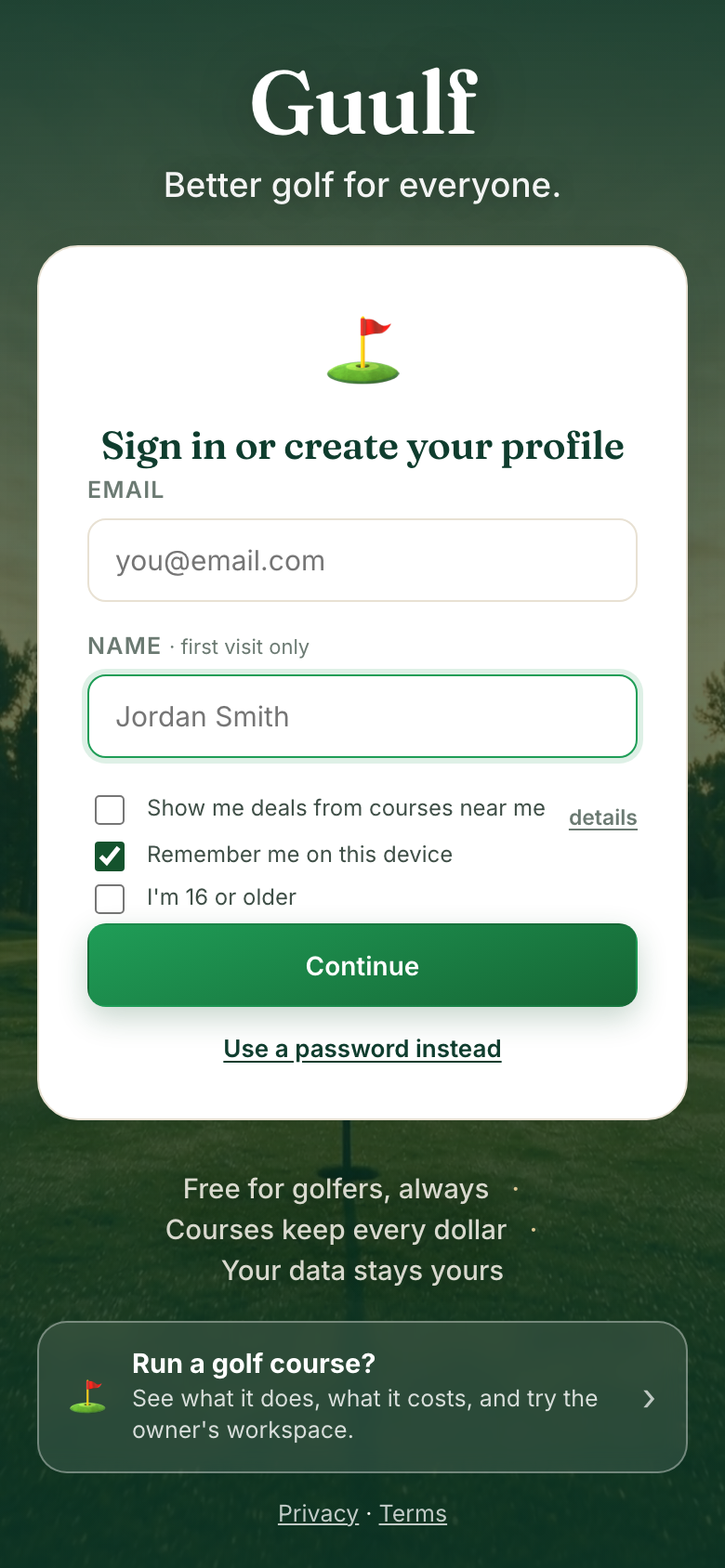 The front page. Your first name, Let’s go — that's the whole start.
2 Tap “Find your course”
Home has three big buttons. Find your course searches almost every course in Canada and the US — pick yours and it loads with real hole maps. If you're a member somewhere, claiming your home course there means your member rate applies by itself when you book. Once you have a course, Home leads with your golf — your next tee time with one-tap check-in, or a one-tap rebook of your usual game.
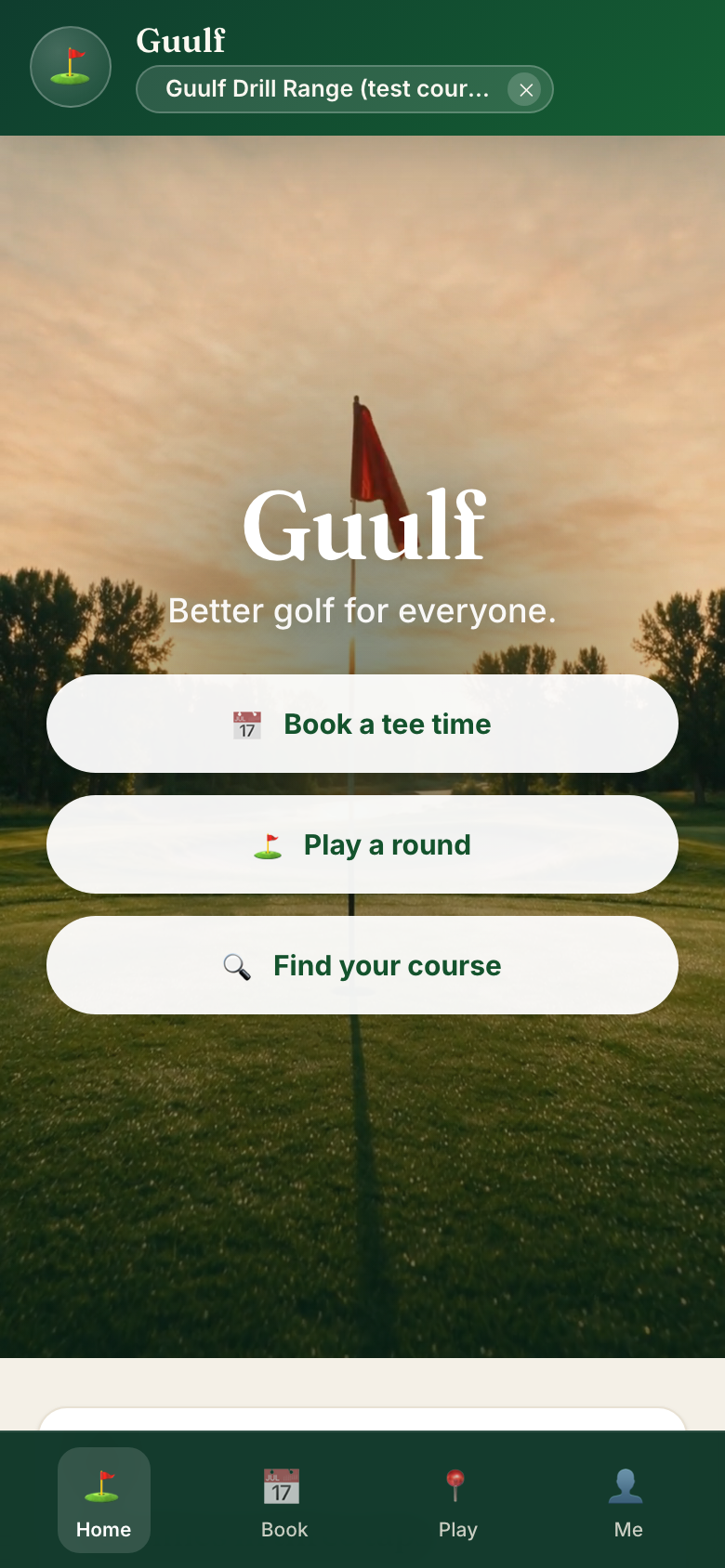 Home. Your golf first, three buttons, no maze.
Booking
3 Tap “Book” and pick your time
Most courses take tee times on their own booking page or by phone — for those, Book opens it for you in one tap, and Guulf never adds a fee. When a course takes tee times in Guulf itself, you book right here — the first time with your email, since that's where your confirmation goes. Pick a day at the top — each one shows the weather. Green Book buttons are open times; the dots show how many spots are left. A full tee time offers the waitlist instead: one tap, and the app lets you know if a spot frees up.
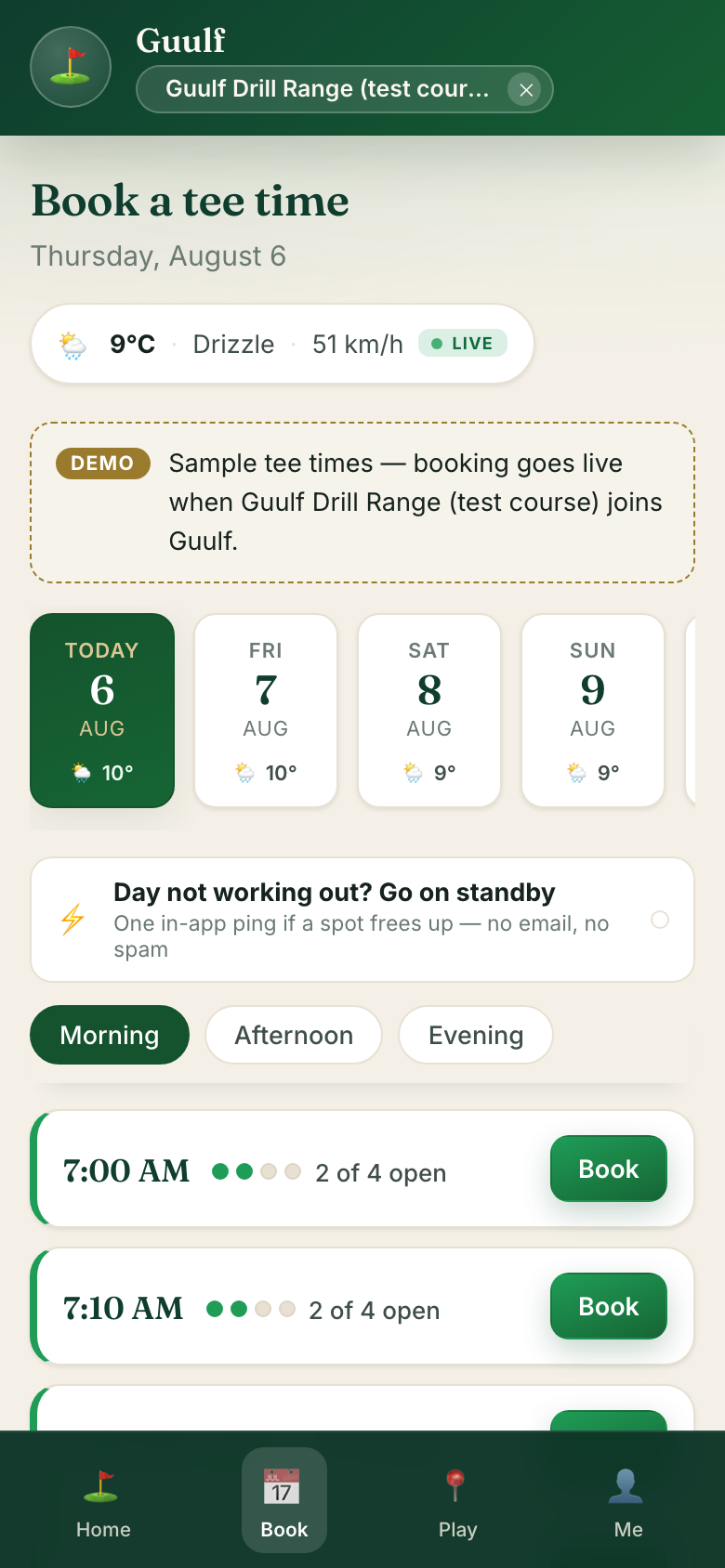 Days with weather, times with open spots.
4 Say who's playing, tap “Confirm booking”
Your name is already there if you signed in. Add friends with + Add player, pick 9 or 18, add carts if you want them. Each spot shows its own price before you commit — what you see is what the course charges, tax included, no fees on top.
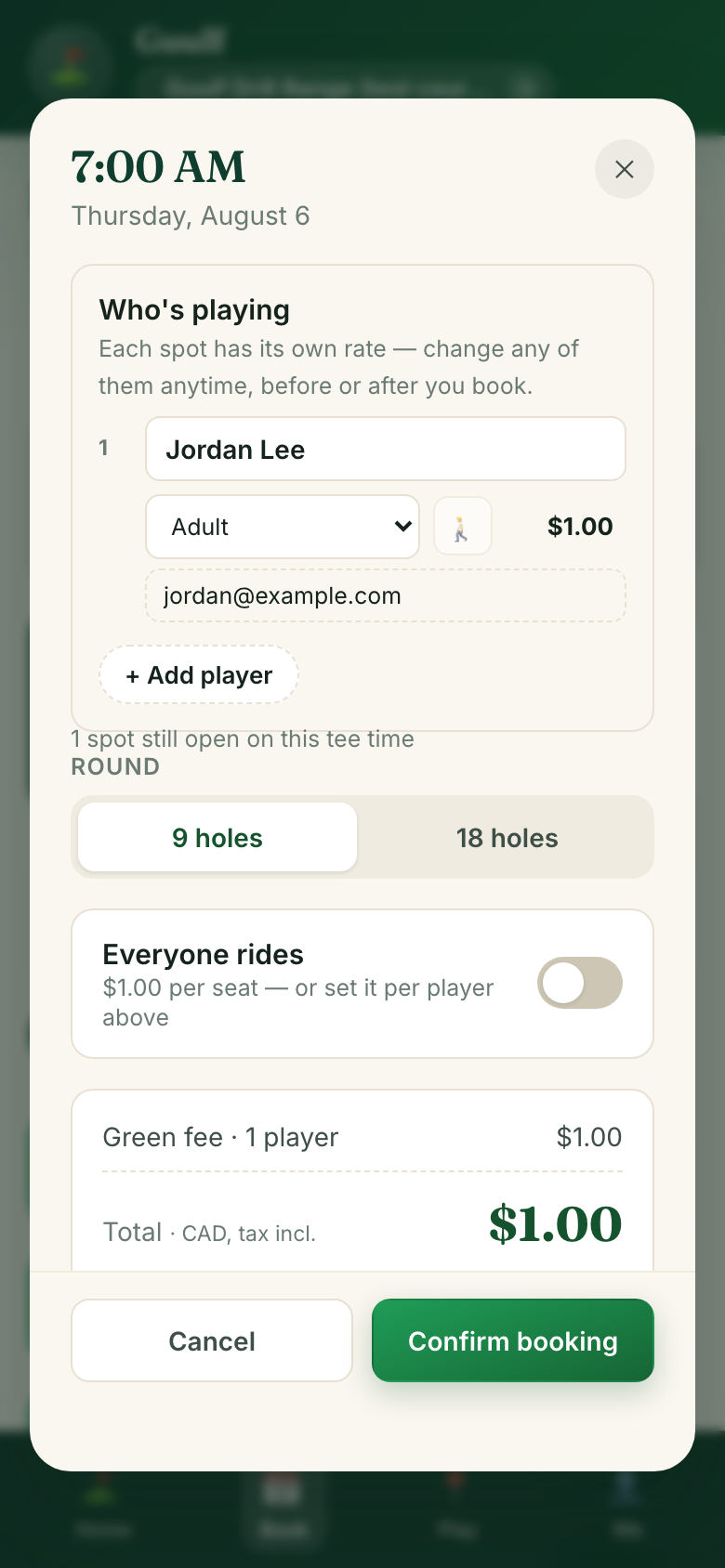 The booking sheet — prices shown before you commit.
5 You're booked
The tee time shows your name on the sheet, it's listed under Me (with a cancel button, no phone call needed), and a confirmation email from the course arrives if the course sends one.
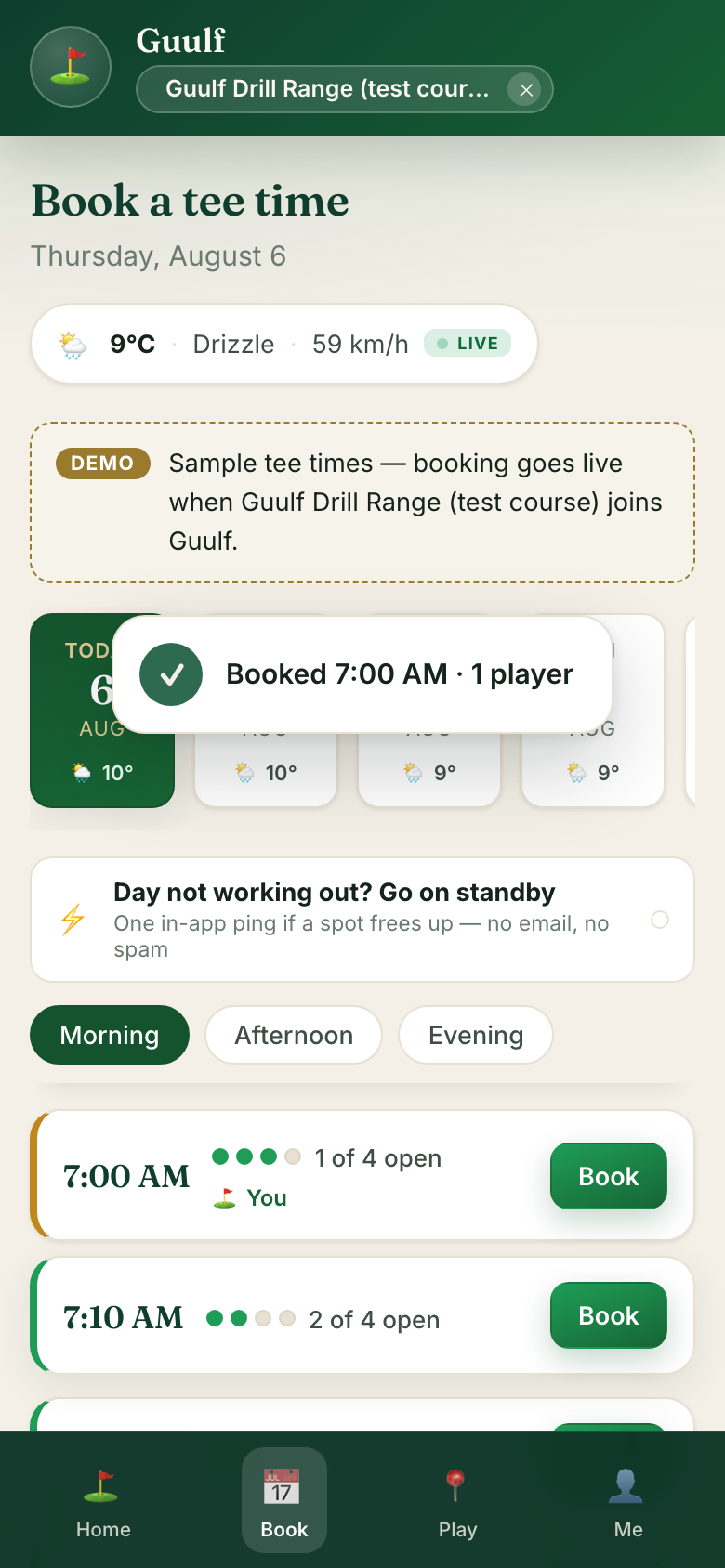 Done — usually under a minute.
On the course
6 Tap “Play” — your yardage is just there
The app finds your hole by GPS and shows front, centre, and back of the green from where you're standing. Walk, and the numbers update. It even knows when you've moved to the next hole. Tap anywhere on the satellite to measure a carry or layup to that exact spot.
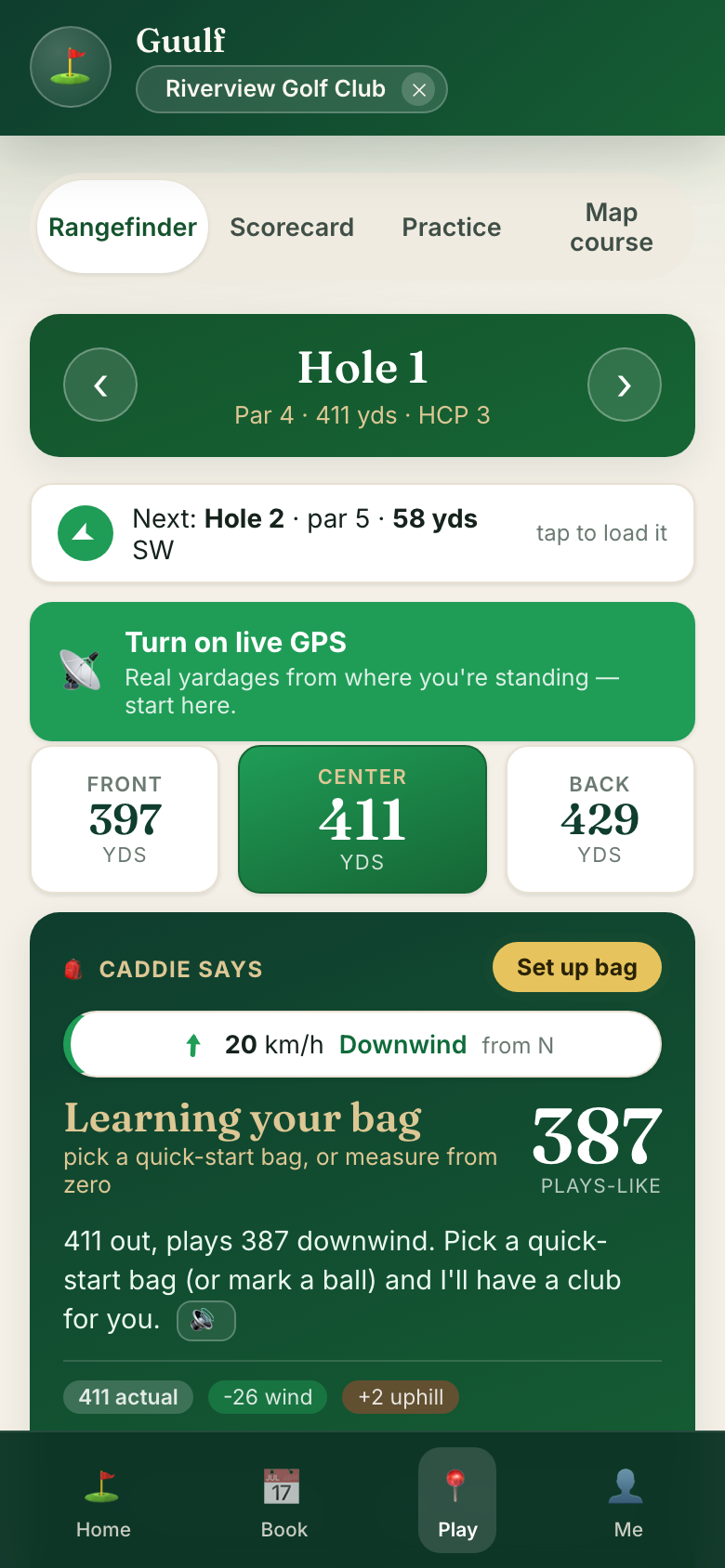 Front · centre · back, from your feet.
GPS needs your location — say yes when your phone asks. Works in any browser; nothing to install.
7 Ask the caddie
Below the yardages, the caddie turns the raw number into a plays-like one — wind and slope included, with the math shown — and suggests a club once it knows your bag. Its five tools sit right on the card: Show me the way, Plan your shot (tap the satellite to measure), Mark this shot (tap where you swung, landed, and finished — that's how it learns your real distances), Your numbers (every club's real carry, from your own shots), and Ask your caddie — type or talk, it answers out loud.
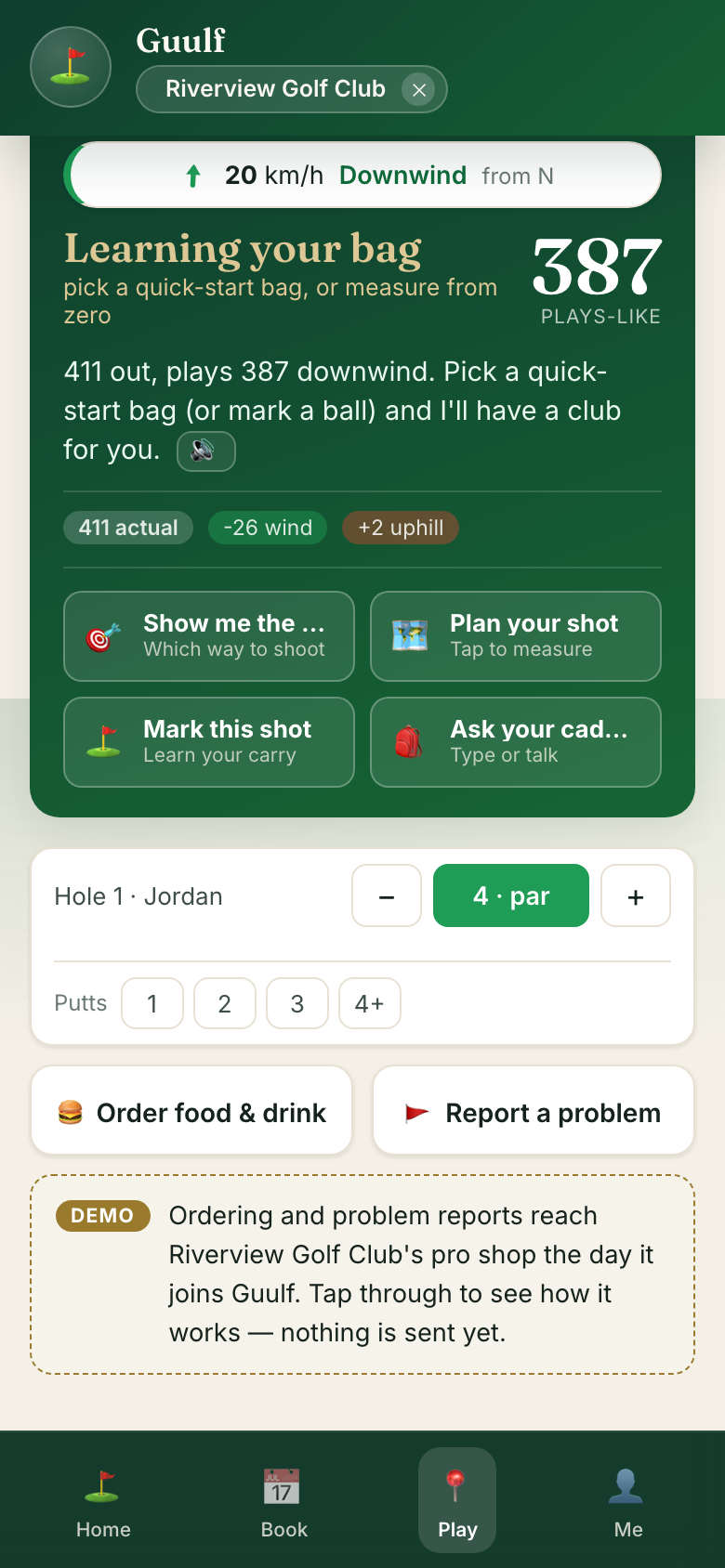 The caddie — plays-like, and five tools on one card.
8 Keep score for the whole group
Tap Scorecard. Add your group once; then it's one tap per player per hole. Running totals against par, the full front-nine and back-nine card, and it survives your phone dying — scores are saved as you go. When the round ends, everyone can claim their own card by link. And every shot you marked draws on the satellite — tap Shot map above the card to replay your round: carry solid, roll dashed, hole by hole. It lives on your phone only.
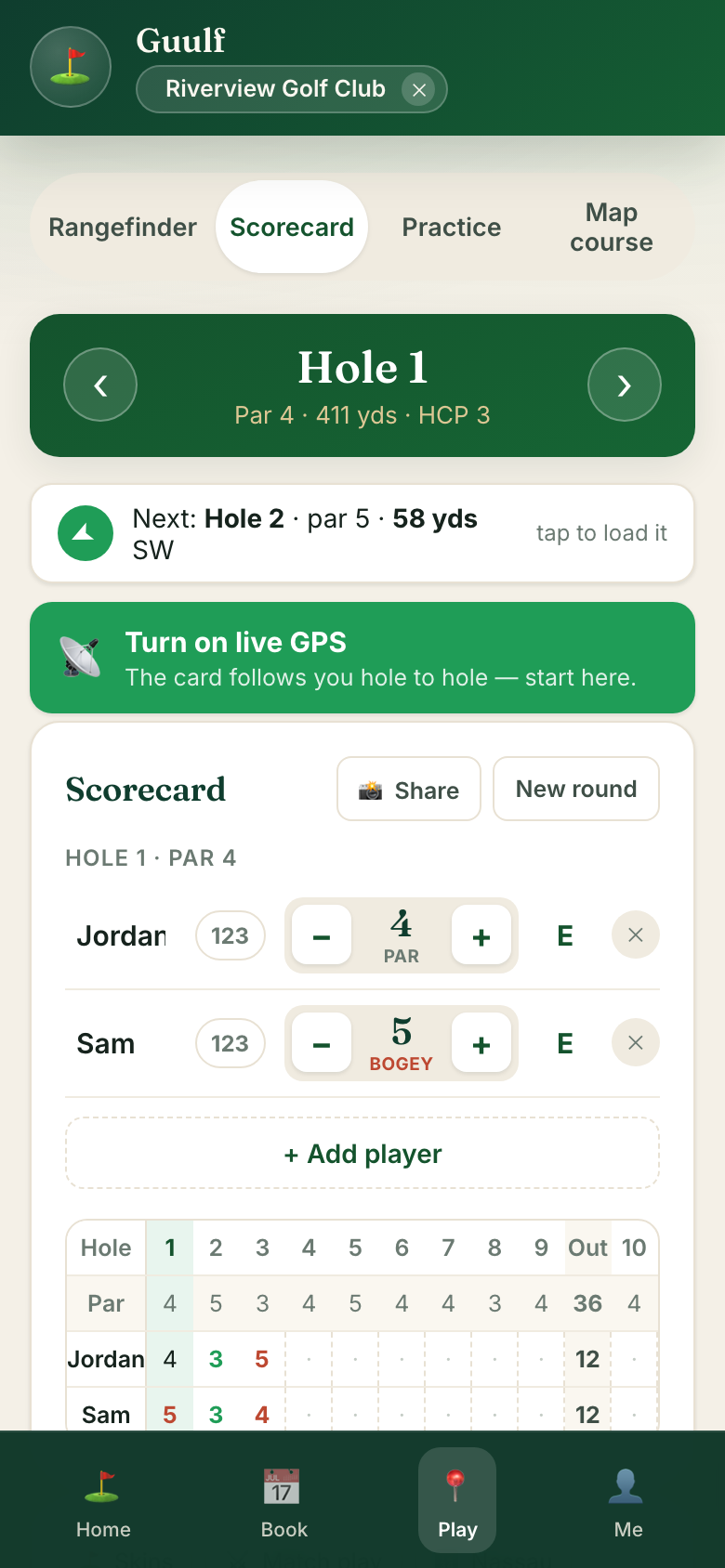 One phone keeps the card for everyone.
8b The swing coach watches for free
Tap Practice at the bottom, then Coach — no course needed. Pick your club, lean the phone against your bag, and step back: the status card turns green when you're in view and names your camera angle (face-on and down-the-line each unlock different checks). The coach tells you out loud when to swing away, records exactly that swing, and reads the whole report — rhythm, head steadiness, sway, release, arms through the ball, finish & balance — every verdict measured from your own body, on your phone, with nothing uploaded, ever. Then it waits for Next swing. Prefer quiet? The mute button keeps it to text.
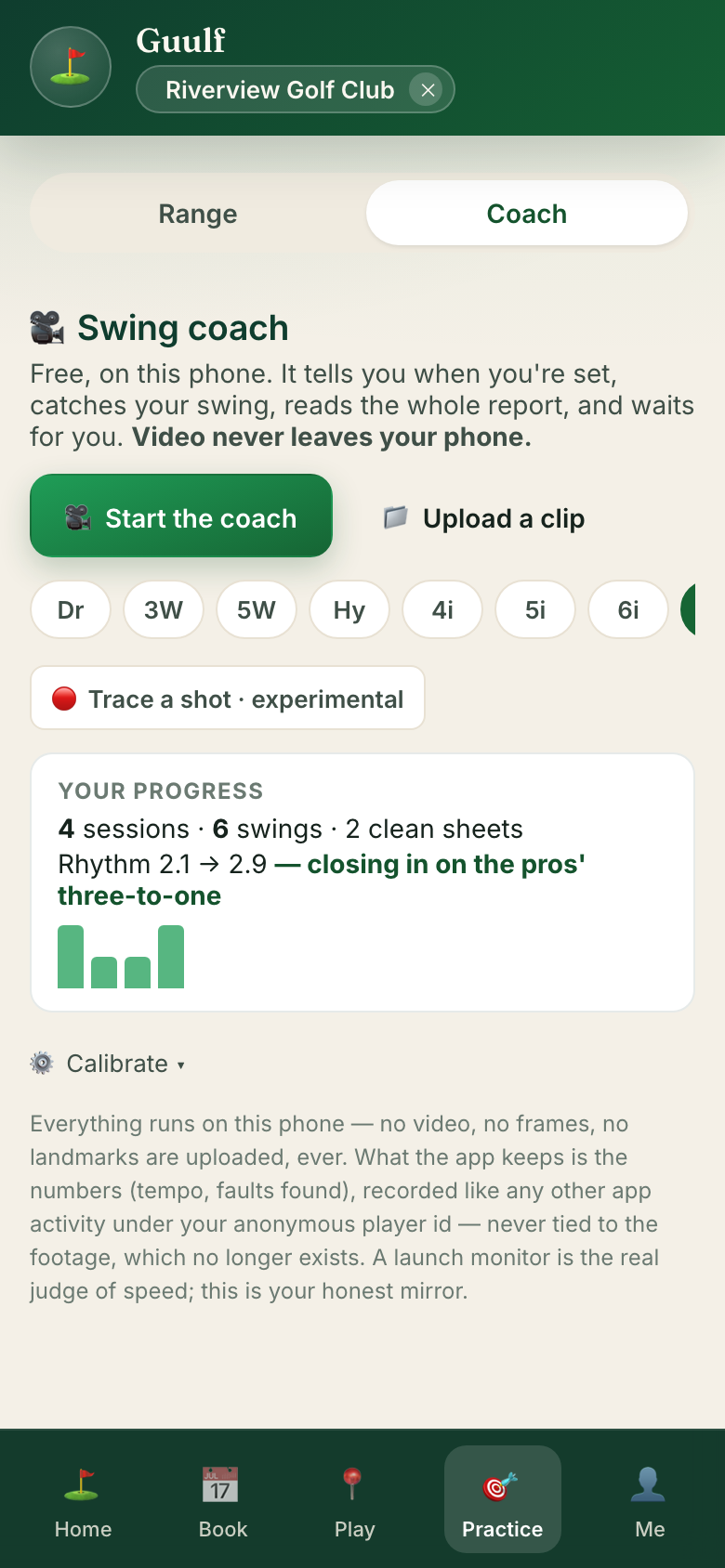 Free coach, your phone only — nothing is uploaded.
The report card shows everything it checked — passes included — with the one fix that matters most, a drill to work on it, and freeze-frames of your address, top, and impact. Rows it can't judge from this angle say which angle unlocks them. Share turns the report into one picture — your rhythm, your passes, your freeze-frames — ready for the group chat. And your sessions build a story: the progress card up top tracks your rhythm across days, your streak, and your clean sheets.
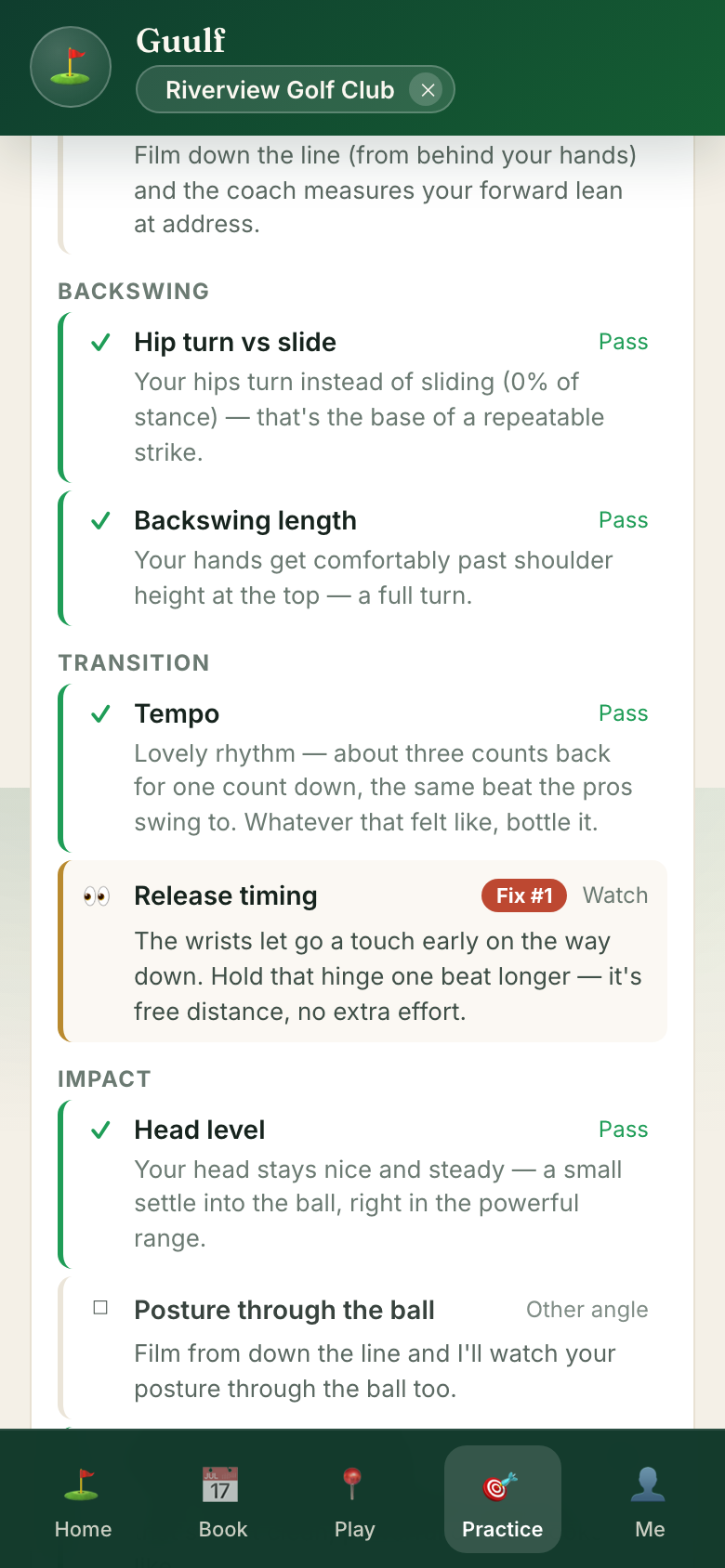 Every check shown, the first fix named, a drill to match.
9 Practice mode works at any range
Tap Practice at the bottom (then Range) at any driving range — no course pick needed: pick a club, tap where each ball lands. Real carry distances between rounds — and they feed the same bag the caddie uses on the course. Works at any range on earth. Feeling competitive? The 9-shot combine turns the session into a score: nine target carries from 60 to 220, closest to the number wins the points, and your best waits on the card to be beaten next visit.
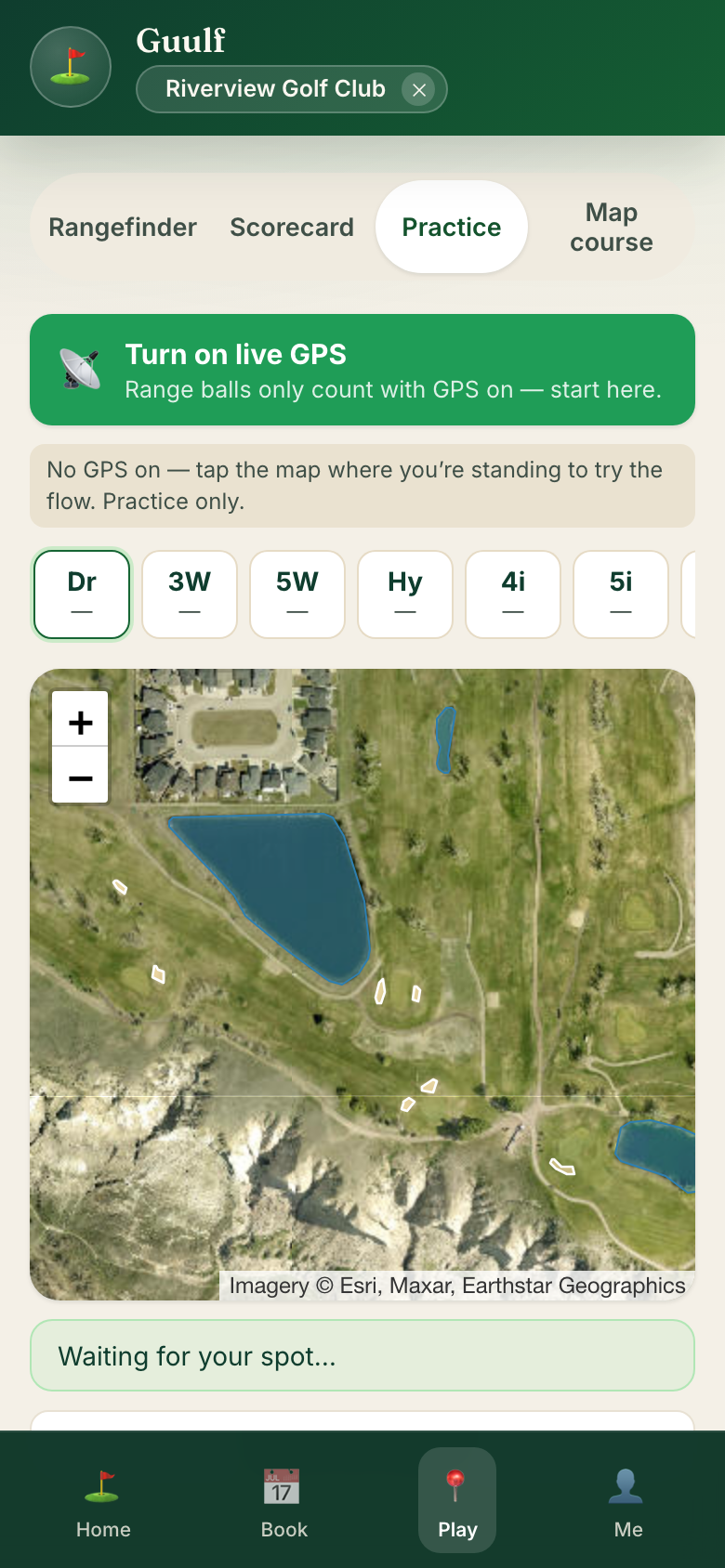 The range teaches your bag, one ball at a time.
Your stuff
10 “Me” is your tee times, numbers, and settings
Upcoming tee times (cancel with one tap), Your numbers — every club's real carry and roll from your own shots — your home course, and the switches in Settings, including deal alerts from courses near you. At courses that run on Guulf you'll also see your rewards card: points from real rounds and spend, tiers, and rewards you redeem at the counter. Your data stays yours: export or delete it any time.
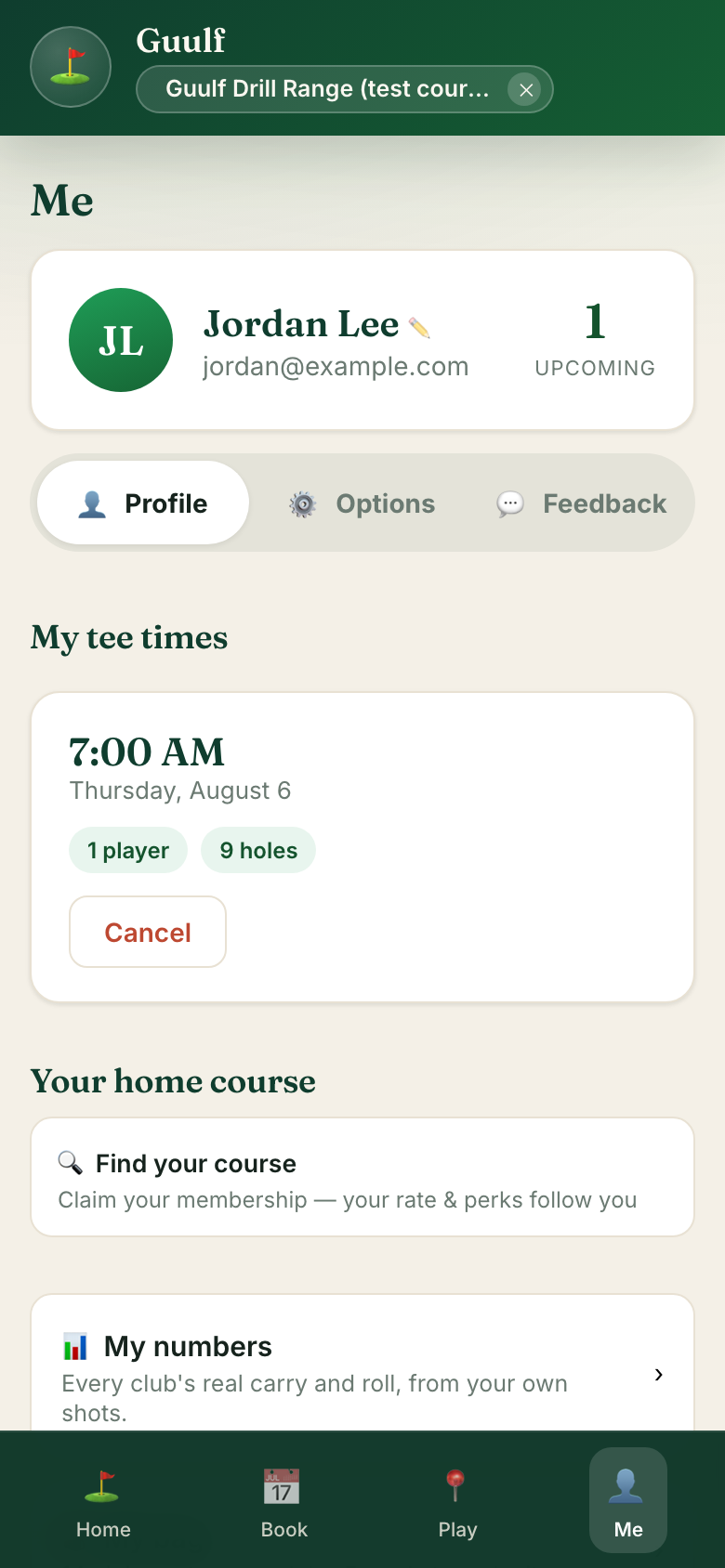 Me — everything that's yours, in one place.
Put it on your home screen. In your phone's browser menu, choose Add to Home Screen. Guulf opens like an app, full screen — and on iPhone that's also what turns on tee-time reminders.