The course guide
Every step with a real screenshot · Updated August 6, 2026 · golfer guide here
This walks you from first look to running your day. Each step is one action. The pictures are the real app — the club shown is Mulligan Creek, our fictional demo course, so no real club's data ever appears in a picture.
- Try it without signing up (the demo)
- Run the day: tee sheet and one-tap walk-ins
- Your roster — everyone you can legally email
- Grow: post a deal golfers see in seconds
- The money view
- Course setup: change anything mid-shift
- Map your course
- Using it for real
Try it without signing up
1 Open guulfai.com and tap “Run a golf course?”
It's the dark card near the bottom of the front page. No account needed, no call to book — it goes straight to the tour.
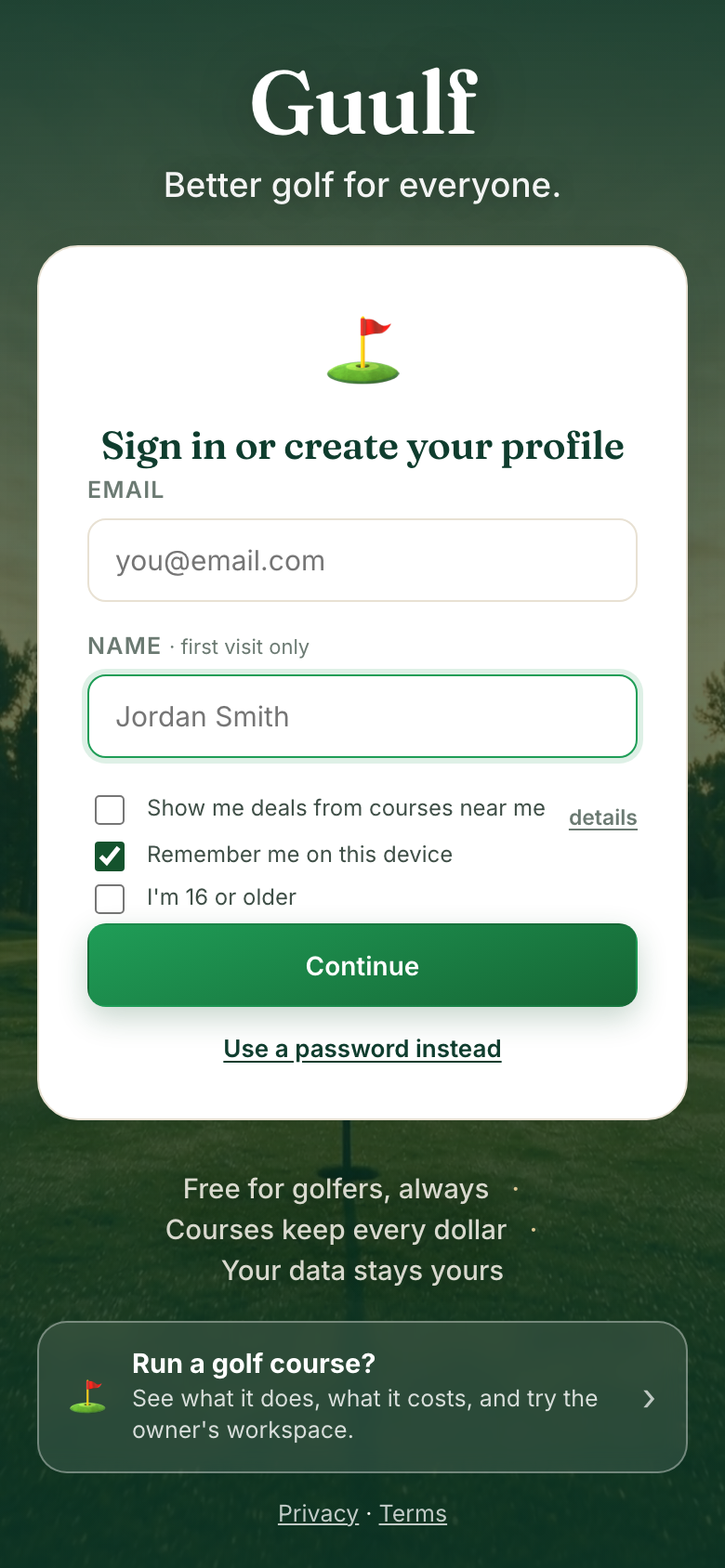 The front page. The course door is the dark card.
2 Read what it does, then tap “try the owner's workspace”
This page lists what your course gets, in plain words — and what it costs: nothing. Guulf is free for courses and for golfers, with no fees, commissions or contract.
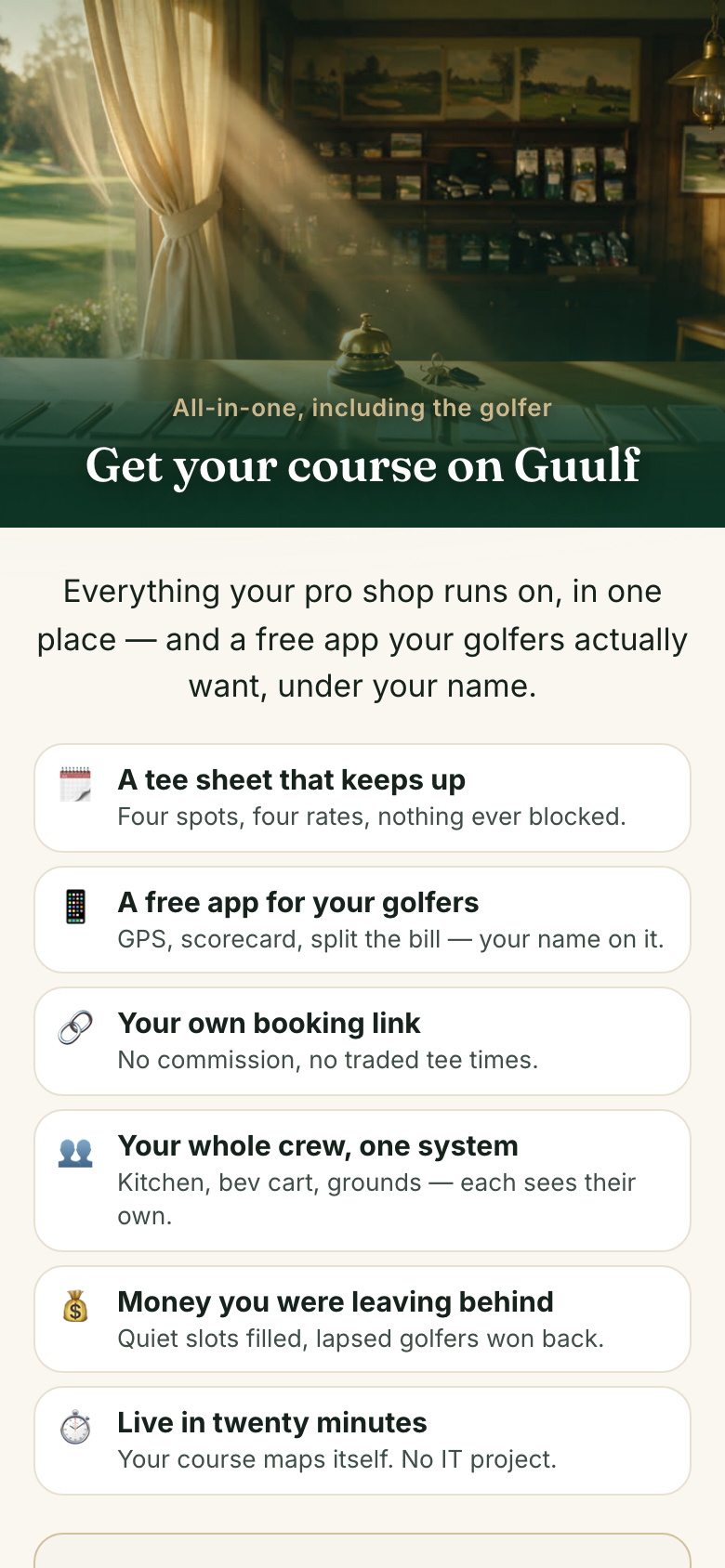 The pitch page — what your course gets.
3 You're in the demo workspace
Everything in the demo is sample data for a made-up club, so you can tap anything without breaking anything. The yellow banner stays visible the whole time so it's never confused with a real course.
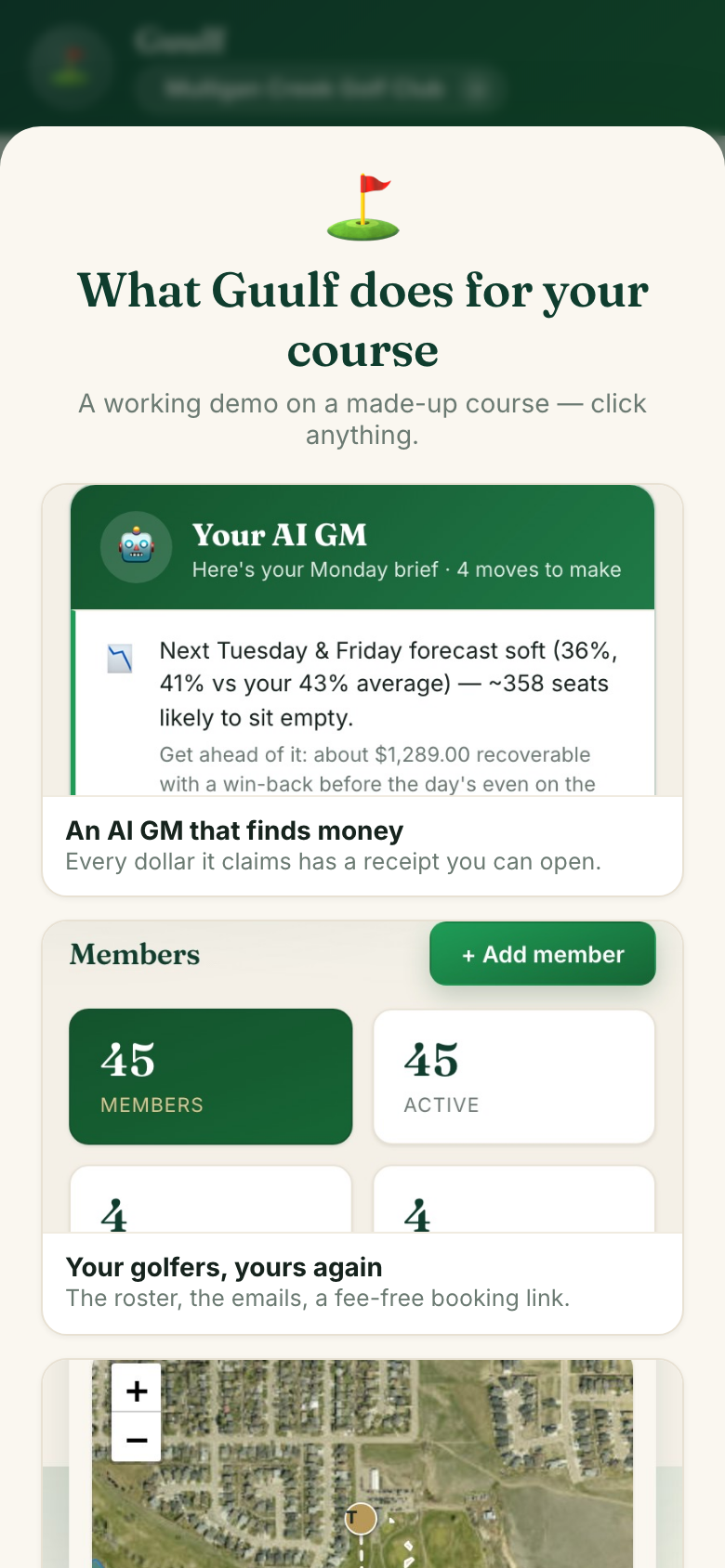 The demo greets you and explains itself.
Run the day
4 Home is your day at a glance
Money booked today, golfers on the sheet, and your AI GM — a short daily brief that spots soft days coming and suggests the moves, each one a single tap. The row of buttons under the banner — Today · Tee sheet · Money · Grow · Roster — is how you move around the workspace.
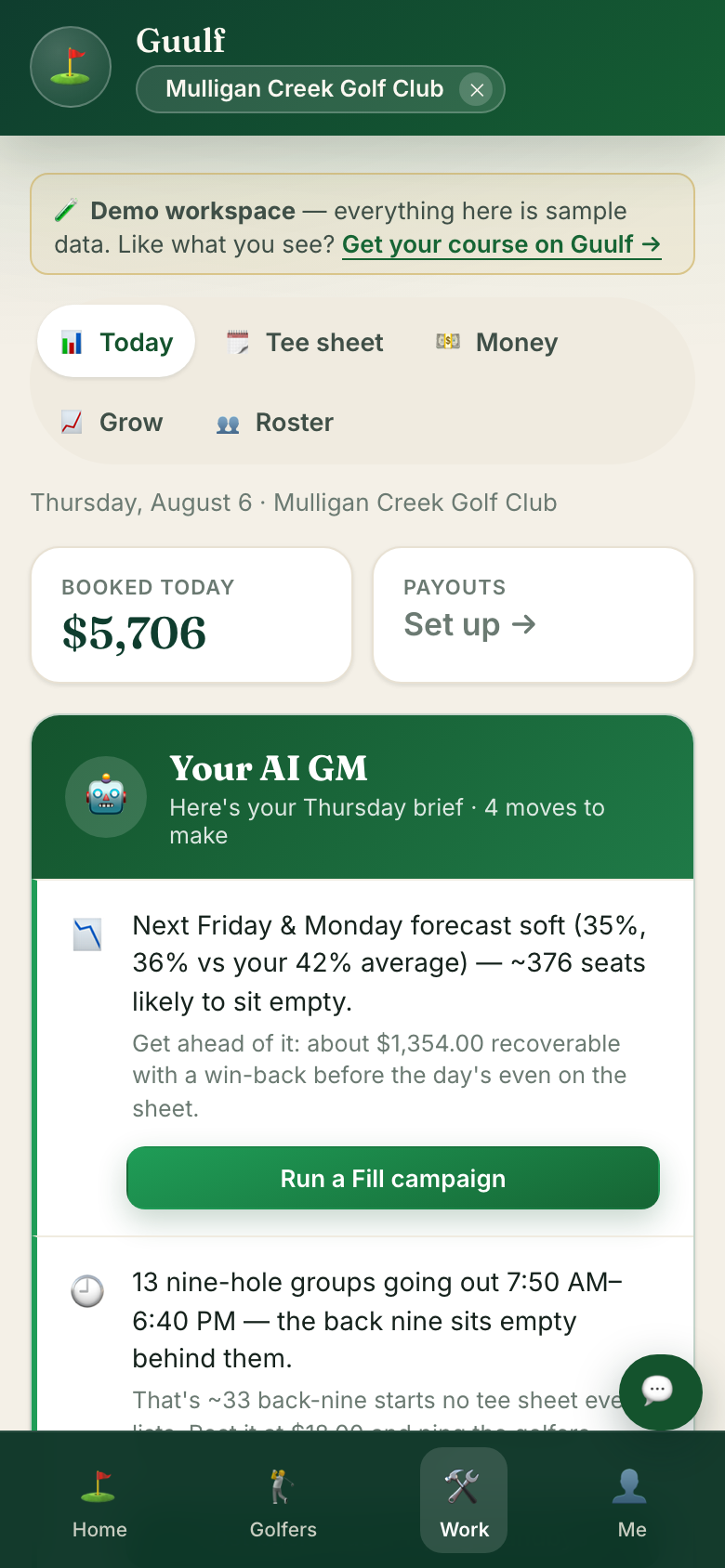 Home — the day at a glance.
5 Open the tee sheet
Tap Tee sheet. Every time slot for the day, who's booked, and what's open. Tap any booking to check a group in or mark a no-show.
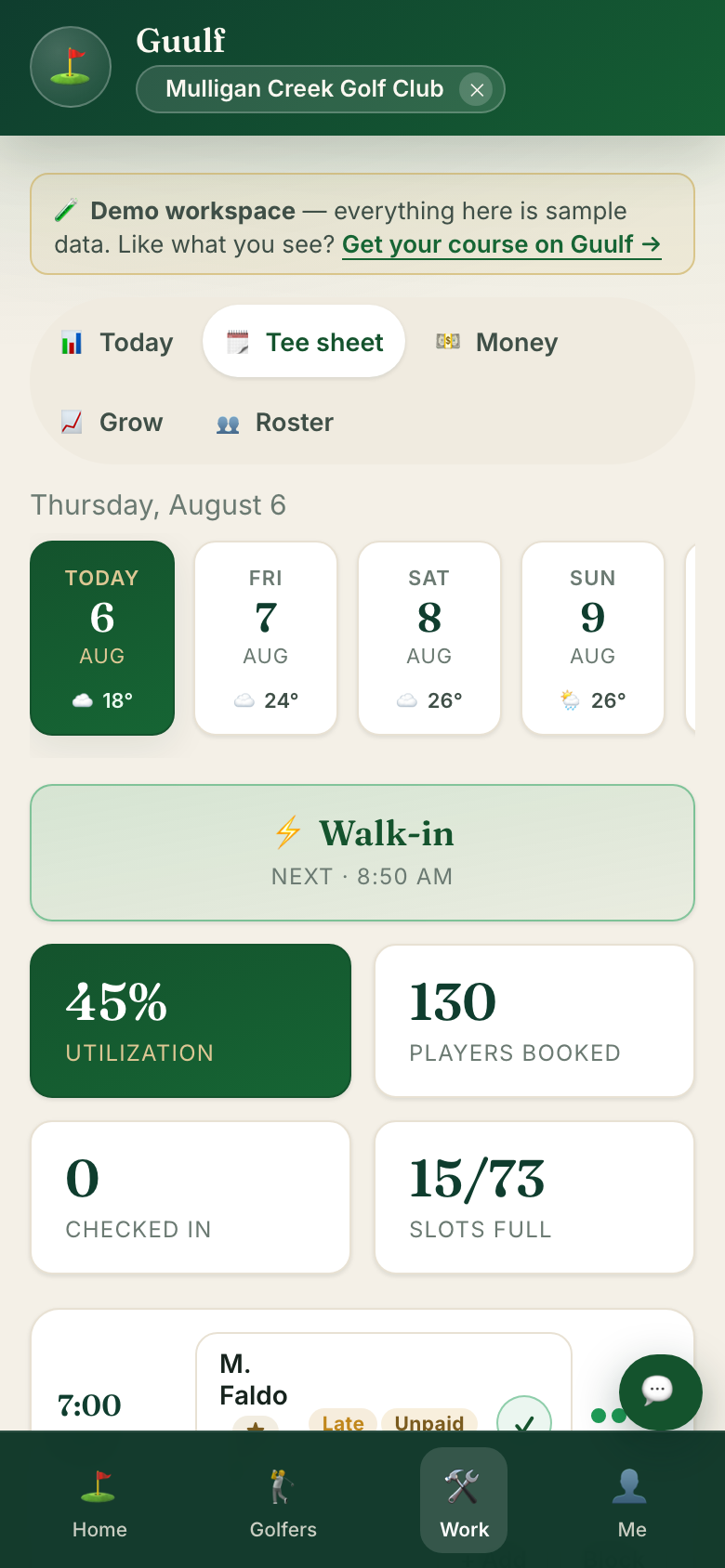 The tee sheet — the whole day on one screen.
6 Someone walks up? Tap ⚡ Walk-in
One tap opens a booking aimed at the next open slot. Type a name if you want one, pick the rate, done. You can search your roster from the same box — a member's rate applies automatically.
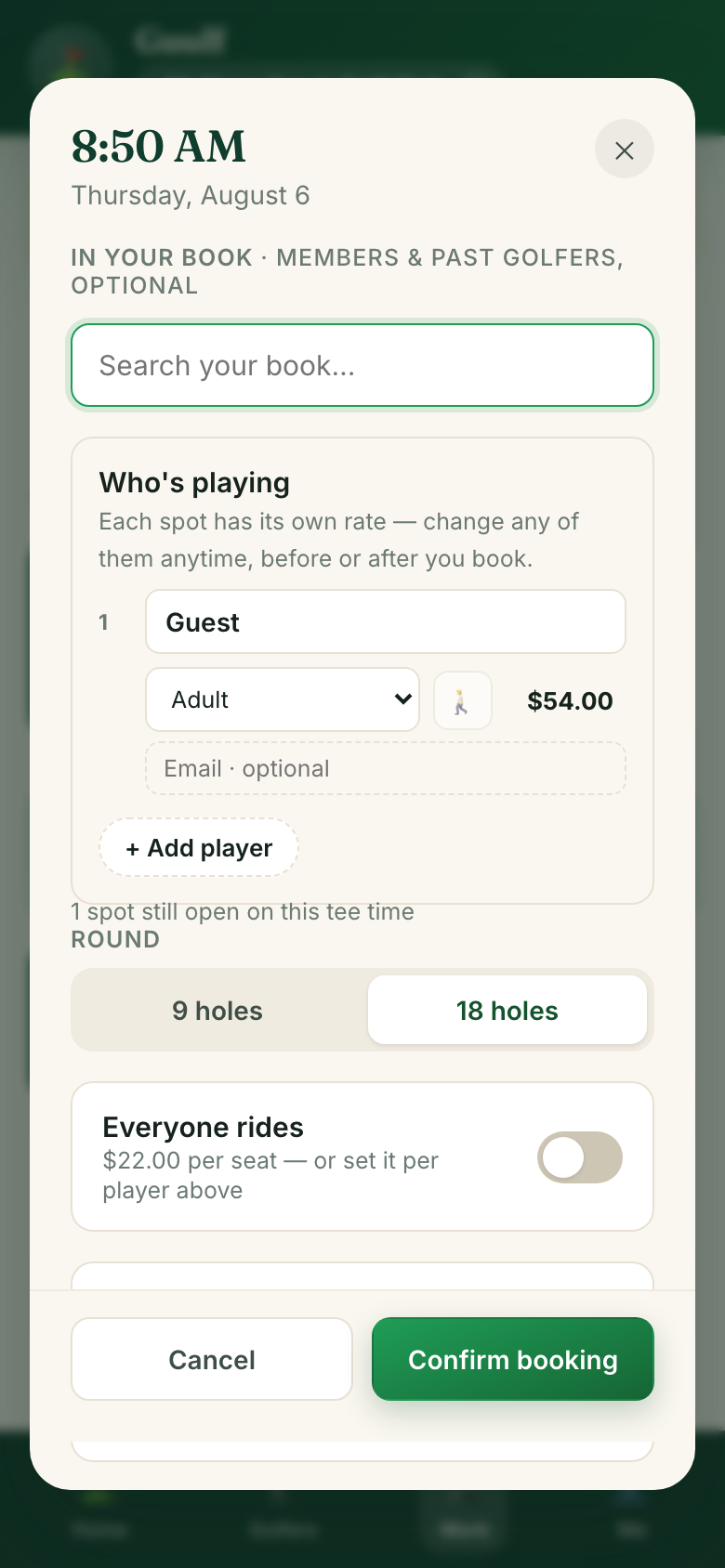 ⚡ Walk-in opens this, already aimed at the next open time.
7 Tap “Confirm booking” — they're on the sheet
The walk-in lands in the slot instantly, on every phone and screen the course has open. If they gave an email, their confirmation sends itself.
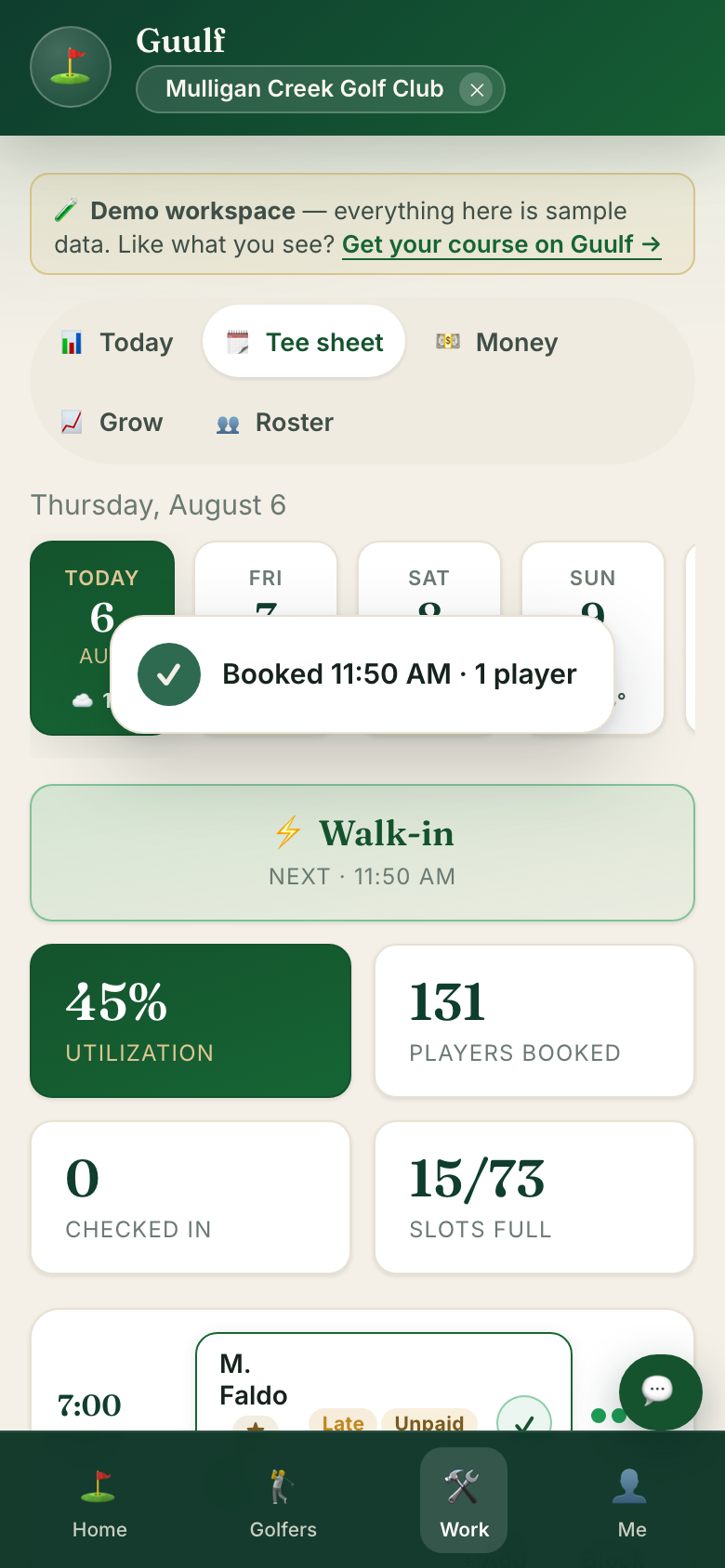 Landed. No retyping, no phone calls.
Your roster
8 Tap “Roster” — everyone in one place
The roster is everyone your course can legally email: members, past golfers, newsletter sign-ups. Members are just a tier on it, labelled from your own rate card, and you can filter people by any tier your course set. The Emailable count is how many you can lawfully reach today — Guulf tracks consent so you don't have to.
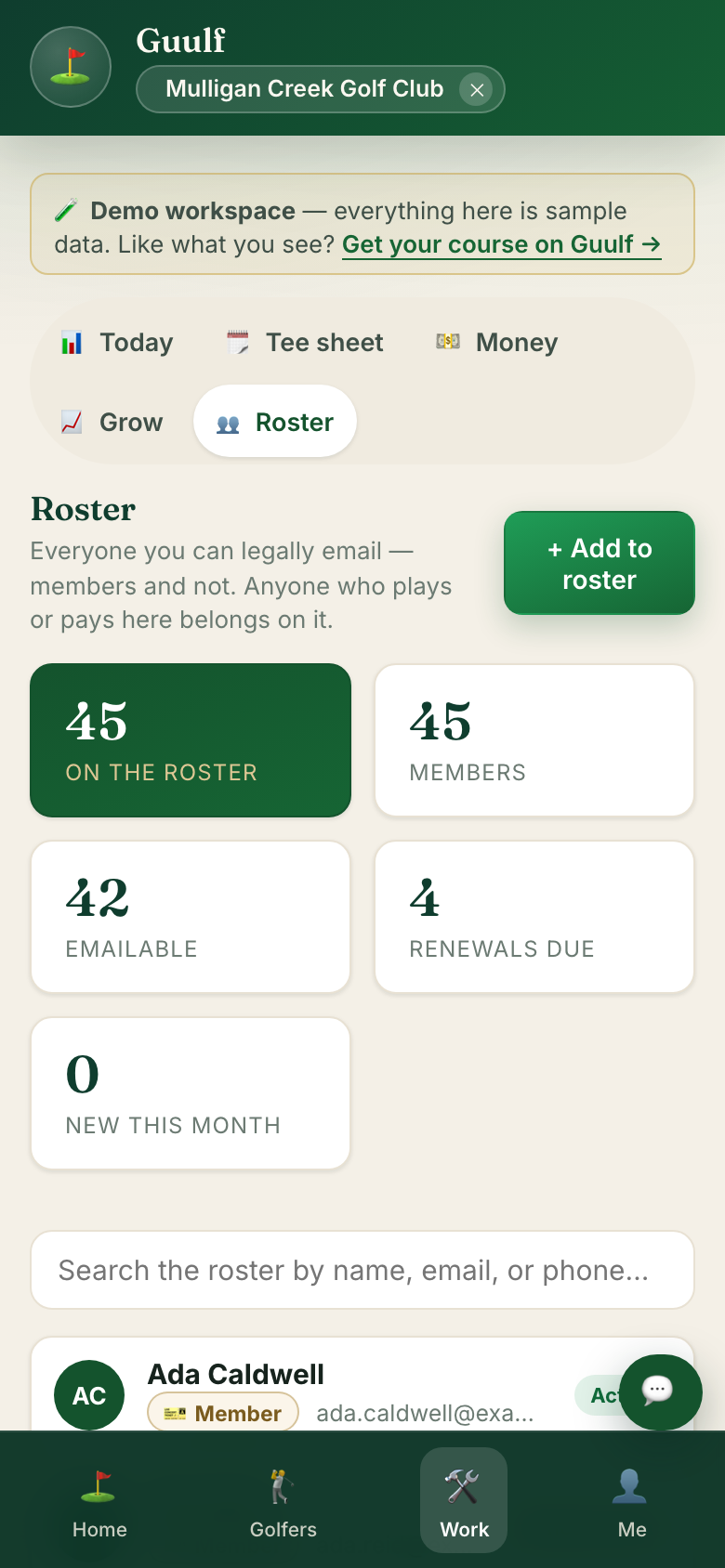 The roster — members are a tier, not a separate list.
Add people one at a time, or import a spreadsheet in Course setup → Roster & staff. Import real golfer data only after your data agreement with Guulf is signed — we'll say so right in the screen.
Grow
9 Post a deal — golfers nearby see it in seconds
Tap Grow, then Deals. Write a deal for this afternoon's empty slots — it lands on the feed of every golfer near you who opted in, seconds after you post it. Link it to one of your rates and updating the price updates both. The other Grow tools live on the same row: Fill win-backs, Marketing, Memberships, Loyalty (the golfer rewards card's switch), and the two-approval Autopilot. Their emails go out from your own address: Guulf drafts them and opens them in your email app with every golfer in BCC.
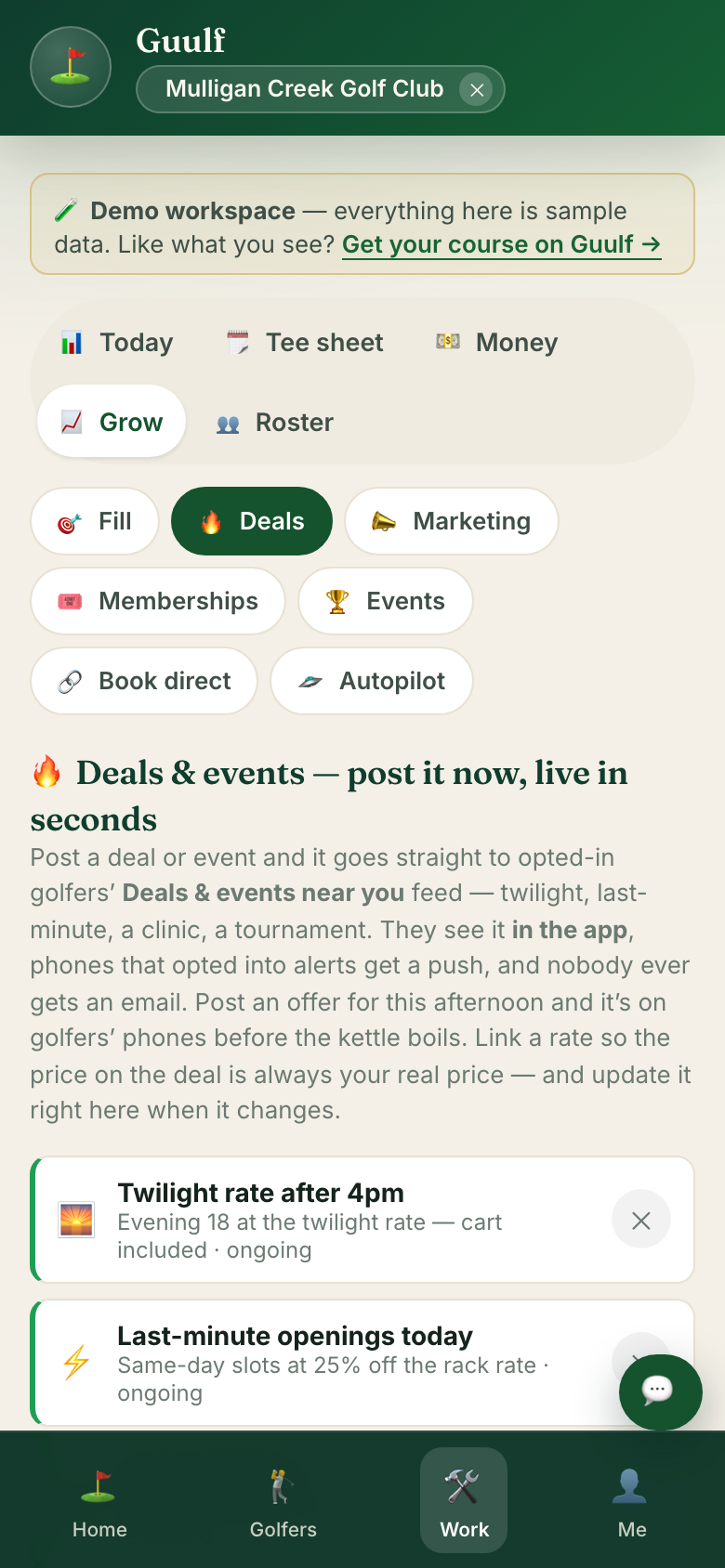 Grow → Deals — posted here, on phones in seconds.
The money view
10 Tap “Money” — what Guulf actually made you
Revenue on the books for today, the week, or the month — plus utilization, no-shows, member growth, and walk-ins captured. Below it sits the Guulf scorecard: every “found money” dollar has a receipt you can open, and if we can't prove it, we don't count it. Guulf is free, so all of it is yours.
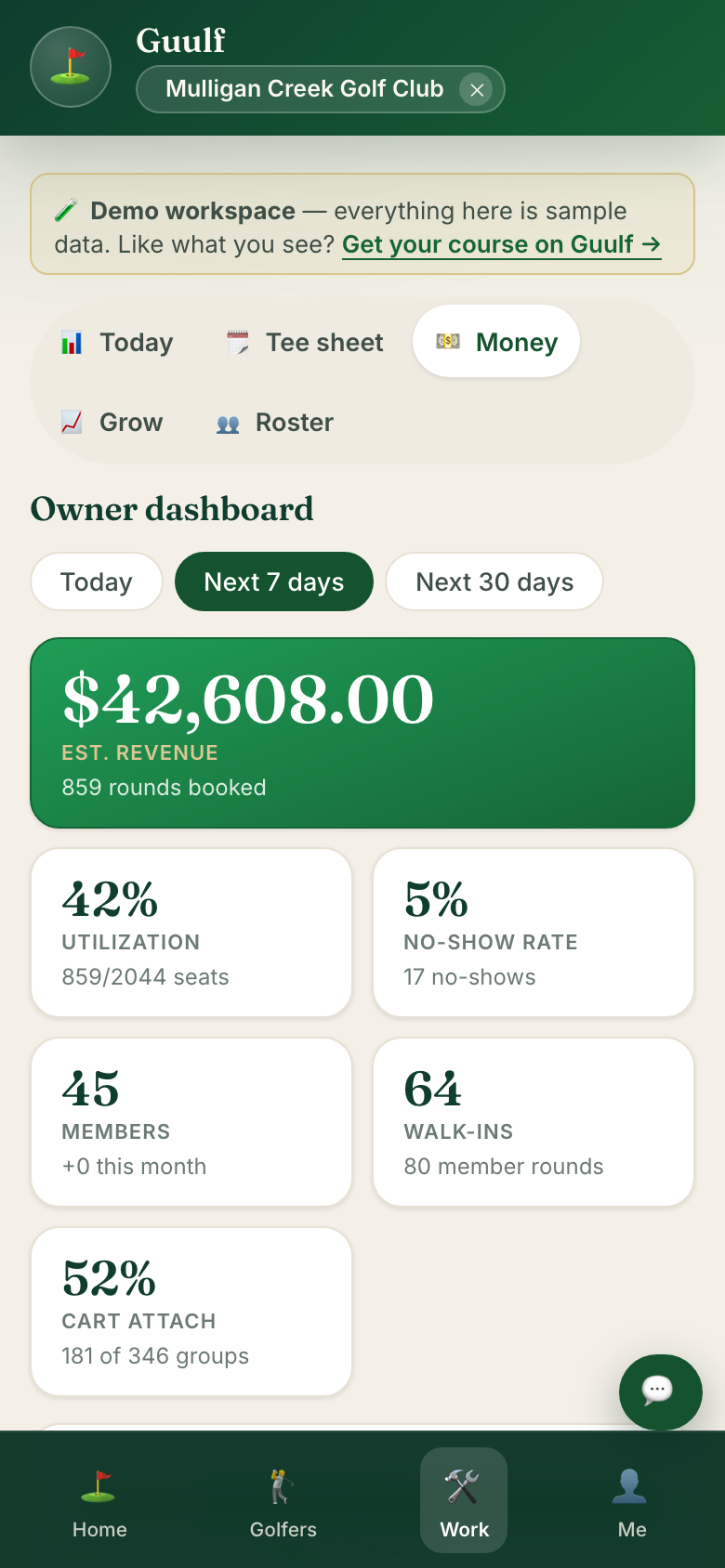 Money — receipts, not estimates.
Course setup — your control panel
11 Me → Course setup: change anything, any time
Tap Me at the bottom right, then Course setup. Every course setting lives here — profile, hours, rates, kitchen menu, your crew — and it's always one tab away, so the front desk can fix a price mid-shift without leaving the counter.
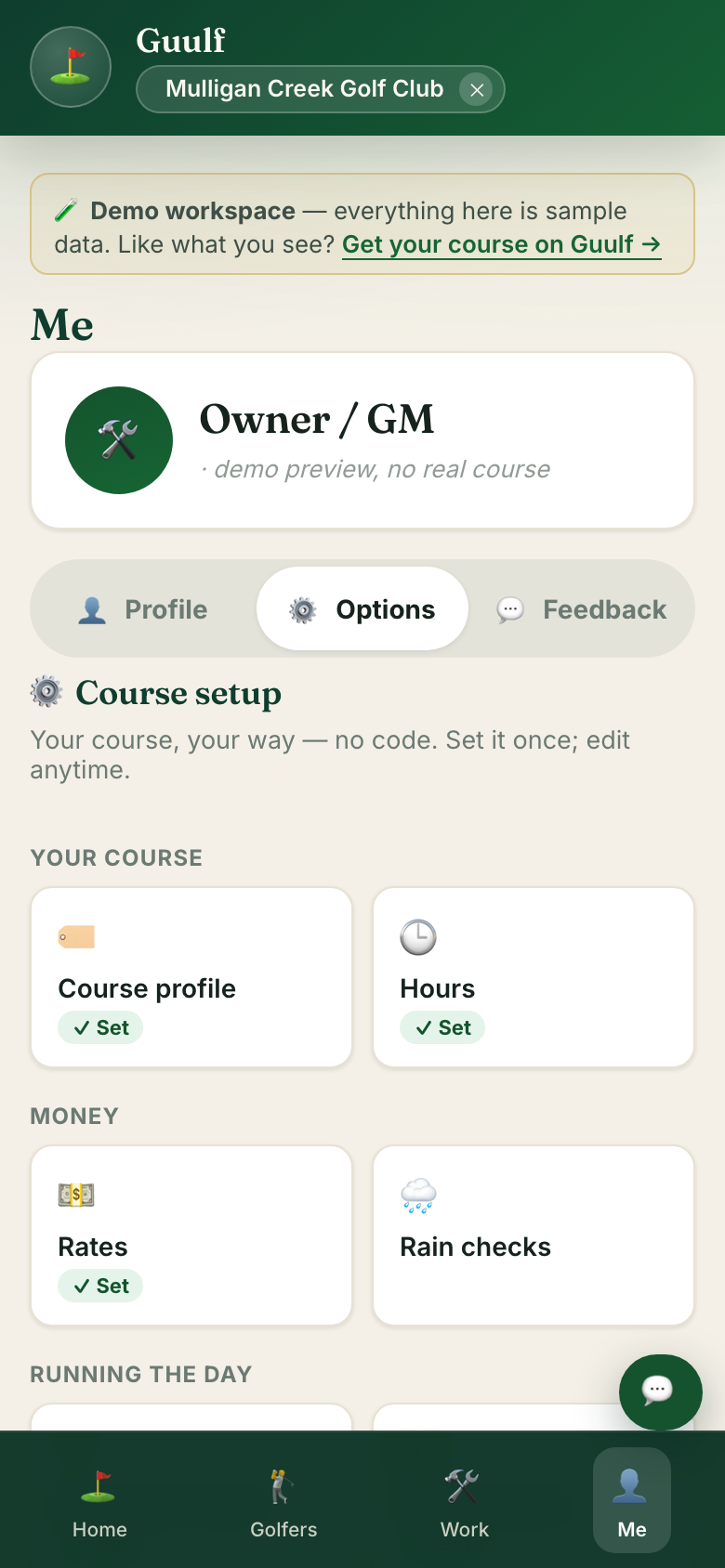 Course setup — the whole course, editable.
12 Rates: your prices, exactly as posted
Open Rates. Type what golfers pay — tax included, exactly like your board — and Guulf backs the tax out for the books. Change a number and it's live everywhere immediately: the booking page, the tee sheet, deals linked to that rate.
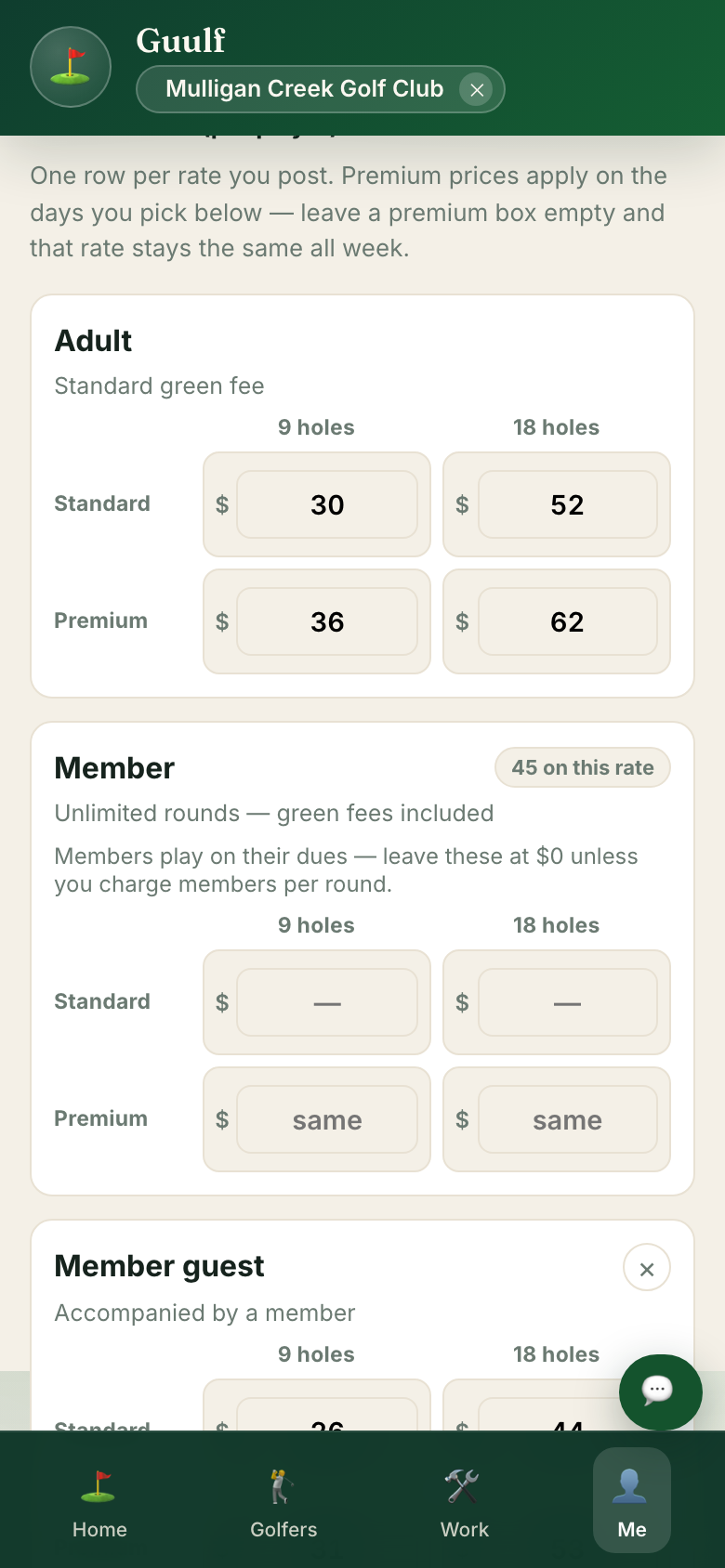 Rates — edit here, live everywhere.
Map your course
13 Walk the course once — golfers get a rangefinder forever
Open Course setup → Map course (also under Play on your phone). Stand on each tee and green, tap Mark, move on. The satellite start comes free from public map data; your walk makes it survey-grade. Short on time? Share the “help map” link with a keen member — every submission is reviewed by a person before golfers ever see it.
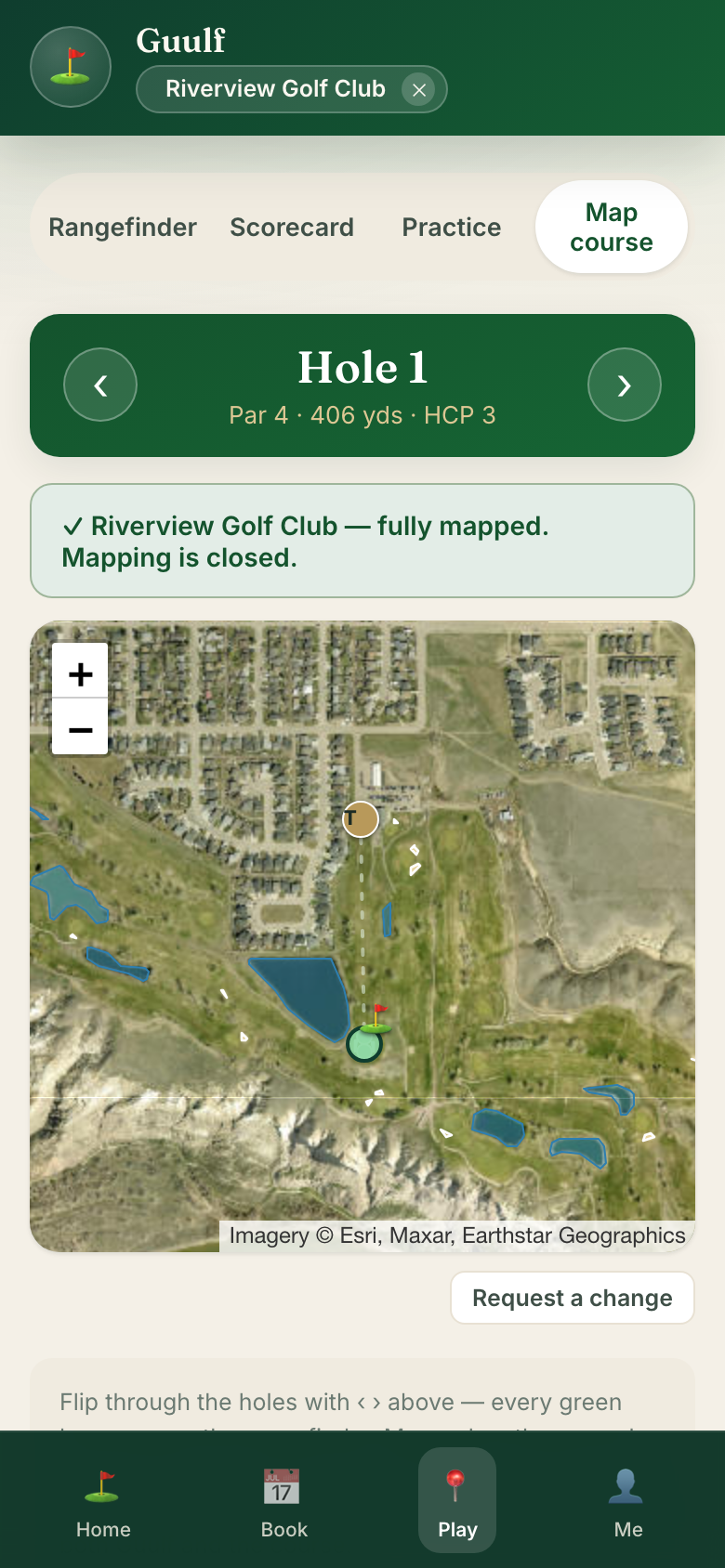 Stand on the spot, tap Mark. That's the whole job.
Using it for real
14 Ask for a hand setting up
On the course page, tap Ask for a hand and the founder sets up your workspace with you — your map, your rates, your hours, your roster. About twenty minutes, and nothing in it blocks anything else. It's free, so there's nothing to sell you.
From then on your golfers get the free app — GPS, scorecard, caddie — and their Book tab sends them to your own booking. Your crew joins by invite, each person sees their slice, and your data exports or backs up in one tap.
Questions while setting up? The Support bubble in the app answers immediately, and a person reads everything sent to contact@guulfai.com.